
Flightradar24 Flight Tracker
Flightradar24 ABTravel & Local
4.516.34K Reviews
- Version
- Varies With Device
- Installs
- 100.00M
- Age Rating
- Everyone
Screenshots
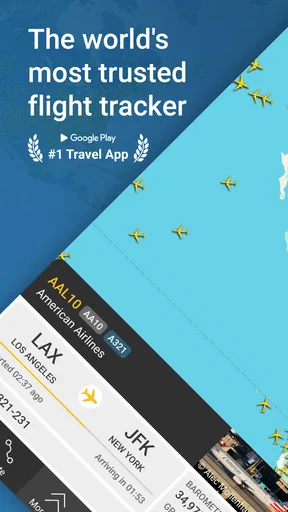
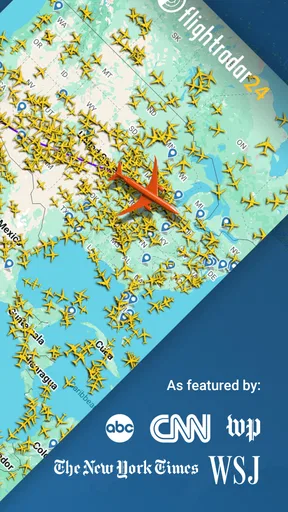
Our Review of Flightradar24 Flight Tracker
 Analysis by Appyee
I use a live flight map differently from a conventional travel planner: it helps me make sense of what is happening in the sky, rather than decide what trip to book. That distinction matters when judging Flightradar24 Flight Tracker. It is a free travel and local app from Flightradar24 AB, and its appeal is the chance to follow aircraft and flights as they move. The app has a 4.5 average from around 634,000 ratings, and has been installed over 100 million times. Those figures suggest broad interest, but I still think the right question is whether watching live flight activity fits your needs.
What trust means for a live flight map
Flight tracking can feel personal when I am checking on someone’s journey, but the central activity here is looking up aircraft and flight information. I would treat it as a situational information tool, not as a private messaging channel or a complete source of travel instructions. A live map can help me understand what a plane is doing; it cannot replace an airline’s direct communication when I need to make a decision about a booking or airport pickup.
I also keep a sensible boundary between curiosity and certainty. A map display is useful for orientation, but I would not use a tracker alone to decide that a traveler has landed, cleared the airport, or is ready to be collected. For plans with real consequences, I check the airline or airport information too. That is not a knock on this app; it is a practical way to use any live tracking service without confusing a moving marker with a confirmed personal update.
Controls worth exploring before you rely on it
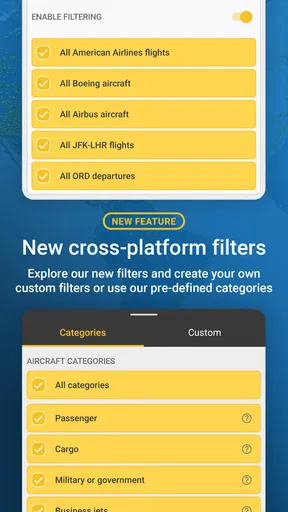
The app gives me ways to narrow what I see, including searches and filters for airline, aircraft type, and altitude. That makes the map more useful than a wall of moving icons: I can focus on one kind of aircraft or reduce the visual noise when I am trying to answer a specific question. My tip is to decide what I want to find before applying filters, then clear them when I return to casual browsing; otherwise, a quiet-looking map can simply reflect a narrow view.
Flight alerts are another useful choice when I am following a particular journey. I would set one for a flight I genuinely need to monitor rather than enable alerts indiscriminately. That keeps notifications purposeful and reduces the chance that a stream of updates becomes background noise. The app is free to download, though it offers in-app purchases priced from $1.49 to $64.99 per item, so I would explore the free experience first and consider paid options only if I run into a specific need.
Where I draw the line on sensitive moments
When I look up a flight connected to a friend or relative, I am using information about a journey, not receiving a message from that person. I avoid treating a flight’s progress as a substitute for asking whether plans have changed. A delay, diversion, or changed pickup arrangement is best confirmed through the traveler or their airline. This is especially important if someone is coordinating a tight connection or a ride, where a map alone may not answer the practical question.
I also would not assume that tracking an aircraft tells me who is on board. The app is interesting because it places aircraft and flights on a map; that is different from identifying passengers. Keeping that distinction in mind makes the experience more respectful and helps me use the tool for its intended kind of curiosity rather than making personal guesses from a flight path.
Who will enjoy it, and who may not
I think the strongest fit is someone who likes aviation, wants a visual way to follow a flight, or often checks progress before heading to the airport. It can also be a fun learning tool: looking at aircraft details and routes can turn an ordinary view of the sky into a reason to explore how air travel works. The Everyone content rating makes it suitable for a broad audience, though younger users may enjoy it most with an adult helping explain what the map can and cannot tell them.
If you only need your own booking’s gate, baggage, or check-in details, an airline app is usually the more direct choice. If you want a general overview of what is flying nearby or wish to follow aircraft beyond one booking, a live flight tracker has a different advantage. I would skip this app if I rarely look at aviation information and do not want another map or set of alerts to check. Its value depends on curiosity and repeated use, not on being essential for every traveler.
Getting Started with the App
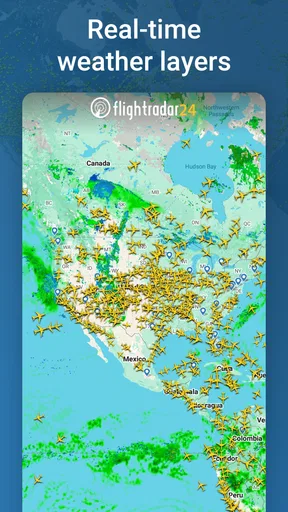
Downloading Flightradar24 Flight Tracker was a breeze. Available on both Android and iOS, the app is lightweight and installs in a jiffy. Once I opened it, I was greeted by a slick user interface that screamed professionalism. The map, which is the main feature, is beautifully detailed and interactive. You can zoom in and out, and I must say, it’s quite addictive!
Exploring the Features
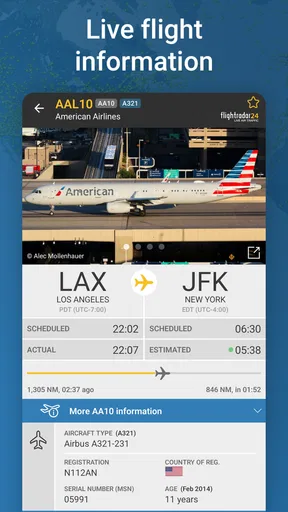
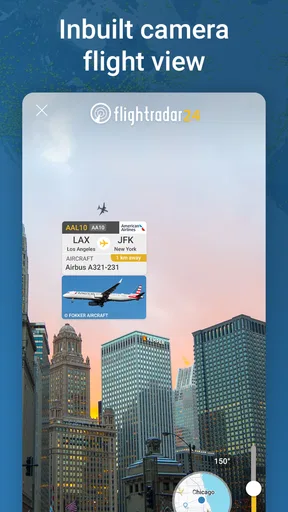
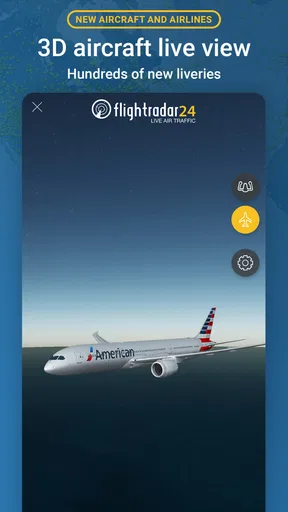
The app boasts a plethora of features. The real-time tracking is the star of the show. I could see all the flights in the sky, complete with their flight numbers, altitudes, and speeds. It's like having a private control tower in your pocket! One of the coolest features is the "Cockpit View". With this, you can tap on any aircraft and get a 3D view from the perspective of the pilot. It’s surreal and makes you feel like you’re right there in the cockpit.
Another nifty feature is the detailed flight information. Want to know where a flight originated, its destination, or its estimated time of arrival? It’s all there. I found myself tracking flights of friends and family, and it was super handy to know exactly when to leave for the airport.
Personalization and Alerts
Flightradar24 also lets you customize your experience. You can set up alerts for specific flights, which is perfect if you're waiting for a loved one to arrive. The alert system is reliable and ensures you’re always updated with any changes in schedule. There’s also a cool feature where you can filter searches based on airline, aircraft type, and even altitude. Pretty neat, right?
Learning and Discovery
Beyond just tracking, the app is a treasure trove for aviation enthusiasts. I found myself diving into details about different aircraft types, airlines, and even historical data. The app educates while it entertains, which is a huge plus in my books.
One small workflow makes that discovery more rewarding: I start with a plane overhead, select it, and then follow its route rather than trying to identify every aircraft on the map at once. That turns a passing sound into a concrete question—where did it come from, and where is it going? I also use the aircraft details to compare the kinds of planes I see, instead of assuming that similar-looking flights are the same model. It is a more focused way to explore, and it keeps the map from becoming an endless scroll of labels.
Using the App Daily
Initially, I thought this app would be a once-in-a-while use for me. But surprisingly, I’ve found myself opening it almost daily. Whether I’m planning a trip or just curious about the flights above, it’s become a fun little habit. Plus, the app runs smoothly without any crashes, which is always a win.
A realistic use for me is checking a family member’s flight while I am still at home, then looking again before leaving to collect them. I can use the estimated arrival as a planning clue and avoid sitting at the terminal too early. I would still confirm any important change with the traveler or airline, especially if traffic, baggage, or airport procedures affect pickup timing. The tracker helps with the flight itself; it does not solve every part of an airport journey.
Compared with a regular map app, this is far more aviation-focused: the aircraft, route, and flight details are the point, rather than roads and turn-by-turn directions. Compared with an airline app, it is broader for watching aircraft and exploring flights, while the airline’s own app is generally the better place to manage a booking. I find the two approaches complementary, not interchangeable. For a quick check on one reservation, the airline app may be enough; for looking beyond that reservation, this tracker is the more engaging option.
Practical limits and a cautious verdict
The detailed map is also the main trade-off. When many aircraft are visible, the screen can feel busy, and it takes a moment to learn which detail matters for the question I have. Filters help, but they require me to be deliberate: filtering by altitude or aircraft type is useful for a specific search, yet can hide flights that do not match. I treat the map as an exploratory view and check the selected flight details before drawing conclusions.
There is also a difference between a feature that is fun and one that is necessary. The 3D cockpit-style view makes aircraft tracking more immersive, but I would not choose the app solely for that novelty if all I need is an arrival estimate. Likewise, aircraft and historical information can hold an enthusiast’s attention, while a traveler who only wants a gate update may find those layers distracting. The best experience comes from matching the app’s depth to the task rather than trying to use every option.
For a first session, I would zoom to a familiar area, tap one aircraft, and inspect its route before experimenting with filters or alerts. That simple sequence makes the map easier to understand and gives a new user a useful baseline. If I later decide to follow a particular flight, I can add an alert; if I am only browsing, I leave alerts off. The app has been around since September 15, 2010, and supports Android 8.0 and later, which is useful to know when checking whether an older device can run it.
My cautious verdict is that this is a compelling free app for people who enjoy seeing air traffic as it happens, and a handy companion when a flight’s progress matters. Its 16,000 reviews reflect a substantial body of user feedback, but no rating can tell me whether I will personally enjoy watching aircraft. I would install it for aviation curiosity or as a visual supplement to travel planning, while keeping airline channels in the loop for decisions. If you want a richer view of the skies, it is worth trying; if you only need booking management, a simpler travel tool may serve you better.
Final Thoughts
I have to say, Flightradar24 Flight Tracker is not just for aviation geeks. Whether you’re a frequent traveler, someone waiting for a flight, or just curious like me, this app offers a fascinating glimpse into the world of aviation. It’s user-friendly, packed with features, and brings the skies closer to you. So next time you see a plane overhead, you’ll know exactly where it’s headed. Give it a try and see for yourself; you might just find a new favorite app!
Privacy and Permissions
See what permissions an app requests and how it handles your data.
- Location
- approximate location (network-based), precise location (GPS and network-based)
- Camera
- take pictures and videos
- Wi-Fi connection information
- view Wi-Fi connections
- Other
- view network connections, connect and disconnect from Wi-Fi, full network access, run at startup, control vibration, prevent device from sleeping, read Google service configuration
Verdict
Strengths of Flightradar24 Flight Tracker
- Real-time flight updates enhance tracking.
- Easy-to-use interface for quick navigation.
- Detailed flight information available instantly.
- Global coverage with extensive flight data.
- Customizable alerts for specific flights.
Limitations of Flightradar24 Flight Tracker
- Free version has limited features.
- Ads can be disruptive to user experience.
- Requires constant internet connection.
- Some data may occasionally be outdated.
- Premium features are subscription-based.
Similar Picks in This Category
View All
Google Maps
Google LLC3.4

Google Maps Go
Google LLC4.1

Booking.com: Hotels & Travel
Booking.com Hotels & Vacation Rentals4.8

Google Earth
Google LLC3.8

Skyscanner Flights Hotels Cars
Skyscanner Ltd4.8

trivago: Compare hotel prices
trivago N.V.4.4
Frequently Asked Questions
What features does Flightradar24 Flight Tracker offer?
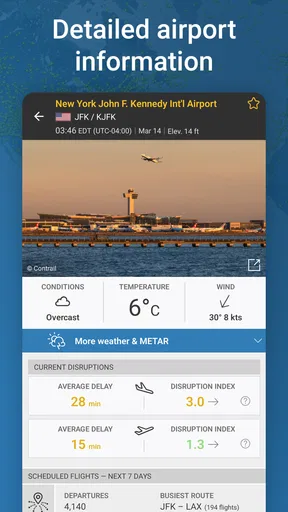
Flightradar24 Flight Tracker provides real-time flight tracking, allowing users to see live air traffic from around the world. It offers detailed flight information such as aircraft type, speed, altitude, and estimated arrival times. Additionally, users can view historical flight data, set up alerts for specific flights, and explore detailed airport information.
Is Flightradar24 Flight Tracker free to use?
Flightradar24 offers a basic version of the app for free, which includes live flight tracking and basic flight information. However, there are premium subscription options available that provide enhanced features such as more detailed flight data, the ability to track specific aircraft, and access to historical data. Subscriptions are available monthly or annually.
How accurate is the flight tracking information on Flightradar24?
The accuracy of Flightradar24’s flight tracking is generally high, as it uses a combination of ADS-B, MLAT, and satellite data to track flights. However, the accuracy can vary depending on the region and the availability of data sources. Remote areas may have less precise tracking due to fewer data sources.
Can I use Flightradar24 Flight Tracker offline?
Flightradar24 requires an internet connection to provide real-time data and updates. While certain features like previously viewed flight paths might be accessible offline, live tracking and updates are not available without an internet connection. It is recommended to use the app with a stable internet connection for the best experience.
What devices are compatible with Flightradar24 Flight Tracker?
Flightradar24 Flight Tracker is available on both Android and iOS devices. It supports a wide range of smartphones and tablets. To ensure the best performance, it is recommended to keep your device's operating system updated to the latest version available. Compatibility may vary for older devices.
